
Last updated: November 22, 2026
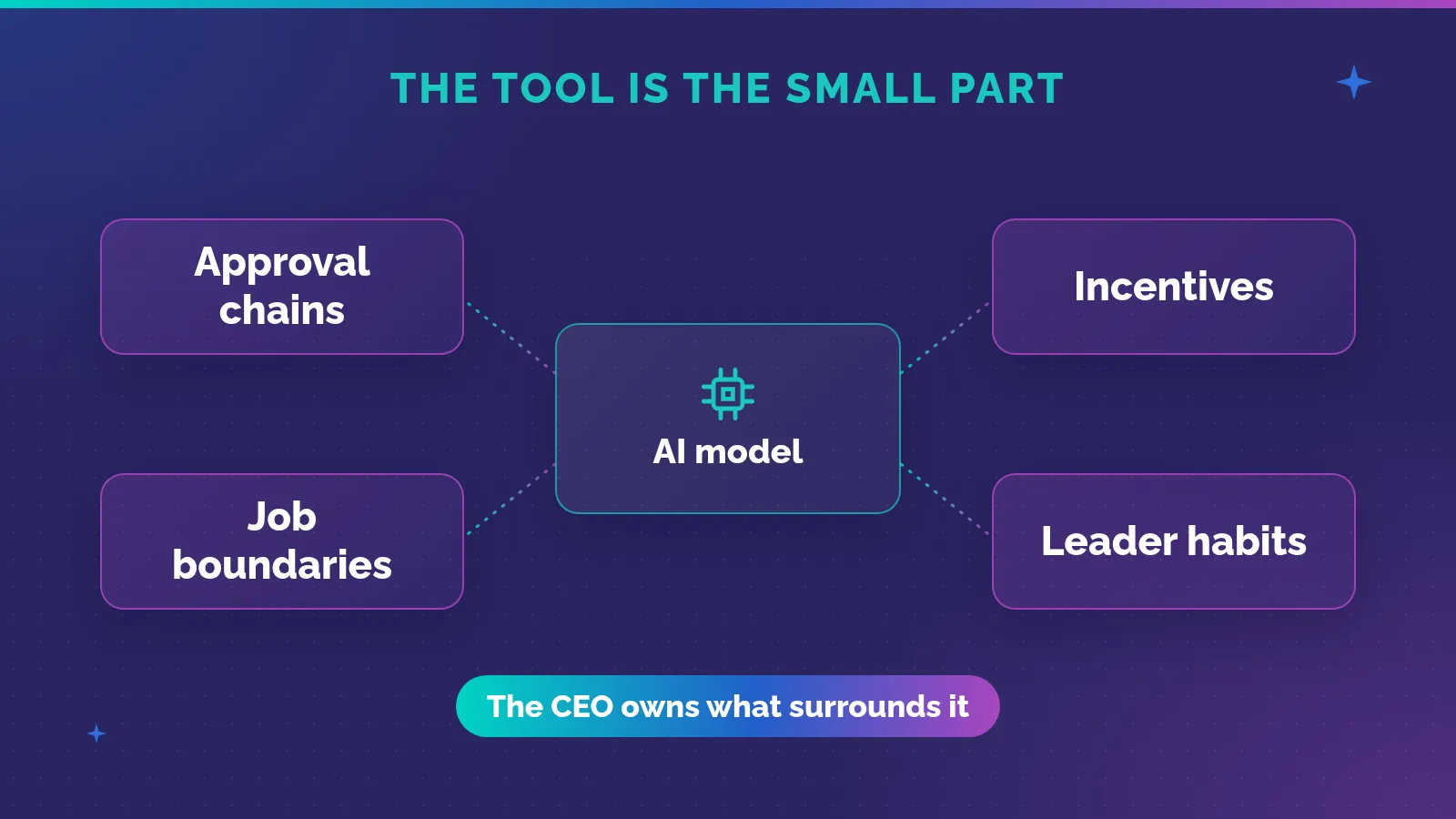
In his conversation with Paul Graham, Amjad Masad describes employees building tools to simplify their work inside traditional companies. He says those insiders tend to get promoted for their impact. He also challenges the idea that everyone should receive the same AI allowance, arguing that spending should follow the value created.
I think those ideas belong together. The employee who knows a repetitive problem may be well placed to improve it. But giving someone permission to build is only part of the decision. The company also needs a sensible way to support work that proves useful.
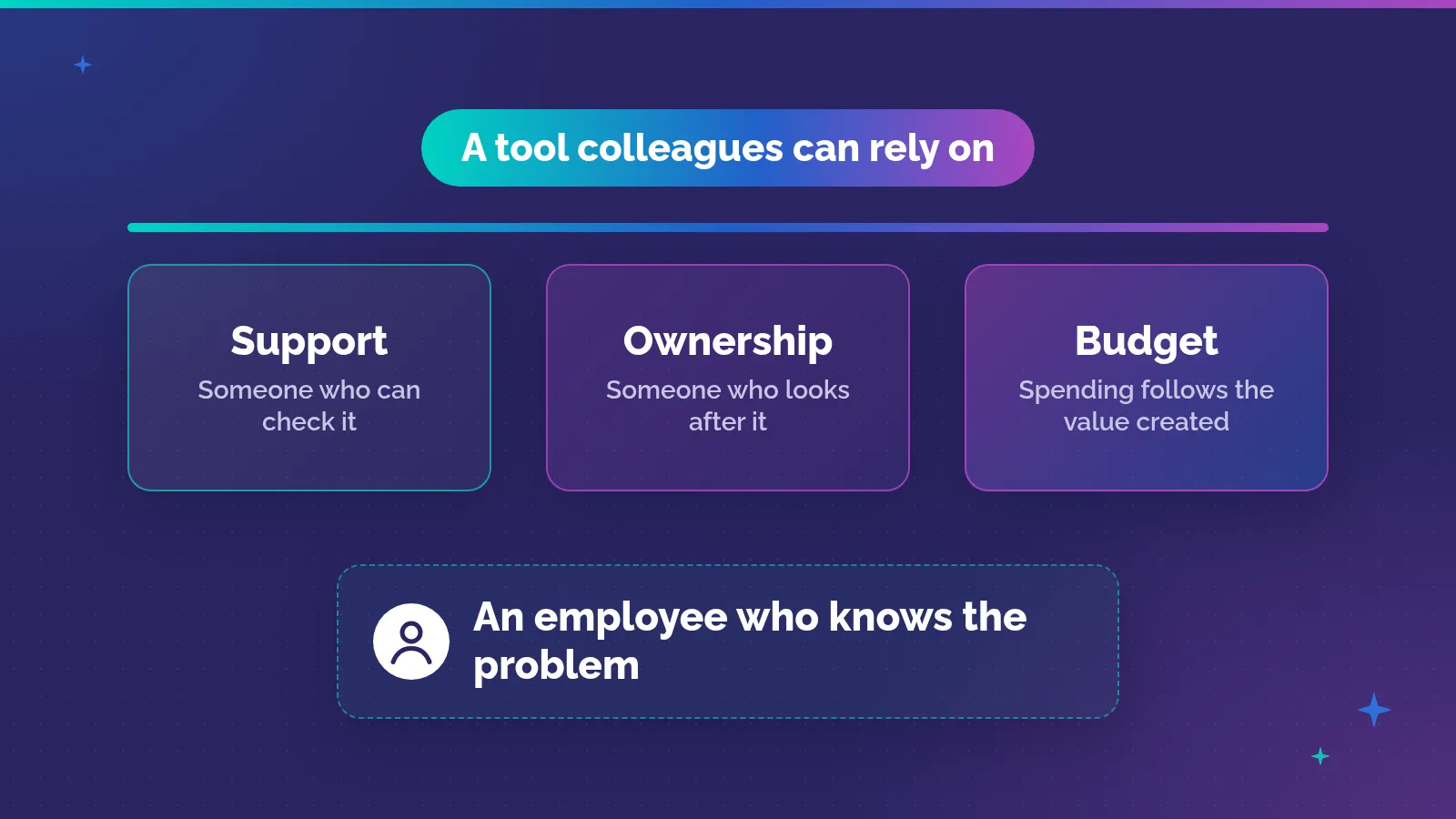
That means more than handing out access to a coding tool. A small application needs someone who can check it, and someone who will look after it once other people depend on it. The employee shouldn’t have to solve all of that alone.
I’ve worked in enterprise software for more than 20 years. I founded Solvait in 2010, and today it’s an agentic AI HR company. In this post I look at the three supports an employee-built tool needs: a safe route to build it, an owner once colleagues rely on it, and spending that follows what it actually improves.
Why might the person doing the work have a useful starting point?
A person repeating a task learns details that can be hard to explain in a project request. They know which file arrives late, and which exception makes a routine step take longer. They may already have a rough solution in mind.
That knowledge doesn’t make them a software engineer. It does give them something an engineer needs: a close understanding of the problem and what a useful result would look like.
Masad’s account of employees building internal tools is a current reason to take this seriously. His comments about promotions are anecdotes from the conversation, not a promise about what happens to everyone who builds an application. The useful question for an executive is what the work improved, rather than what career reward might follow.
Employee-built tools are also much older than AI coding. That history is useful, because it shows what the partnership looked like before anyone could ask a model to write the code.
What did researchers see when people built their own spreadsheets?
Bonnie Nardi and James Miller, two researchers at Hewlett-Packard Laboratories, studied how people develop spreadsheets. They published the work in the International Journal of Man-Machine Studies in 1991. The material came from about 270 pages of transcribed interviews with six users and three industry specialists, plus notes on two more users. They found that nearly all of the spreadsheets used in the work settings they studied came from collaboration between people with different levels of programming and business knowledge.
They describe three groups. Non-programmers have little or no programming training. Local developers know an application well and act as informal consultants to colleagues. Programmers bring broad technical skill. The useful part is how work moved between them.
| Person in the study | What they built or did | Who helped, and how | What it suggests for AI tools |
|---|---|---|---|
| Ray, who manages a finance department in a large corporation | Plans budget allocations and tracks expenses and headcounts; uses his staff’s spreadsheets in reports to executives | A programmer in Customer Support built custom input menus from Ray’s description | The person with the problem can shape the core, and a specialist can add a specific part |
| Laura, controller of a medium sized equipment manufacturer | Did most of the input and the first check for reasonableness on the annual budget estimates | Her manager, who had more experience with the company’s budgeting practices, adjusted data and added a comparison page | Review can happen inside the working model, by someone with more context |
| Betty, chief financial officer of an eight person start-up | Builds her own basic spreadsheets and designs their layout | Buzz, a professional programmer, helps with charts and complex formulas when she needs them | The builder doesn’t have to hand the whole job to someone else |
The researchers point out that this removes a step. Usually a person writes requirements, and a developer translates them into code. Here the developer could see exactly where help was needed, because the business user had already built most of the model.
The same study has a small warning about ownership. Betty and Buzz keep a household spreadsheet with no clear agreement about who maintains it. When Buzz asks when “we” last updated it, Betty answers that she did. It’s a household example, but the pattern is familiar at work too.
This was a small qualitative study, with participants found through referrals and names changed for privacy. It describes how people collaborated. It doesn’t estimate how often employee tools succeed, and spreadsheets are different from applications generated with AI. Still, the observation holds: business knowledge and programming skill often sit in different people, and AI doesn’t remove the need for them to work together.
Are employees already building around the official tools?
Many already are, with or without a route. In the 2025 global study by KPMG and the University of Melbourne, 70% of employees who use AI at work said they use free, publicly available tools, and 42% use tools their employer provides. Only two in five employees said their organization has a policy or guidance on generative AI at work.
Among employees who use AI, about half (48%) said they have uploaded sensitive company information, such as financial, sales or customer data, into public AI tools. And 56% said they have used AI tools at work without knowing whether it was allowed. The employee sample was 32,352 people, part of a survey of 48,340 people in 47 countries, including Saudi Arabia.
I don’t read those numbers as a reason to block experiments. I read them as a sign that people are already trying to fix their own work, often without a safe place to do it. A clear route gives that effort somewhere better to go.
How can leaders encourage this without accepting uncontrolled software?
Start with what the tool touches. A tool that reads a copy of a file and flags gaps carries a different risk from one that writes back to a live record. Before anything else, ask what information the tool would receive, whether it would only flag a problem or also change the original, and who would decide whether its answer was correct. That last question is a judgment call, the kind I wrote about in which HR jobs become judgment jobs, and it stays with a named person however good the tool is.
A tool that works well on test records doesn’t by itself justify access to real employee or customer information. That step needs its own decision.
The company should make an approved route available. Give the builder a place to experiment with permitted data, and a person who can answer technical questions. Explain what requires review before anything is shared or connected to other systems.
That is a better invitation than telling employees to innovate, then leaving them to guess which rules apply. It also gives IT a chance to help before a private experiment becomes something a department relies on.
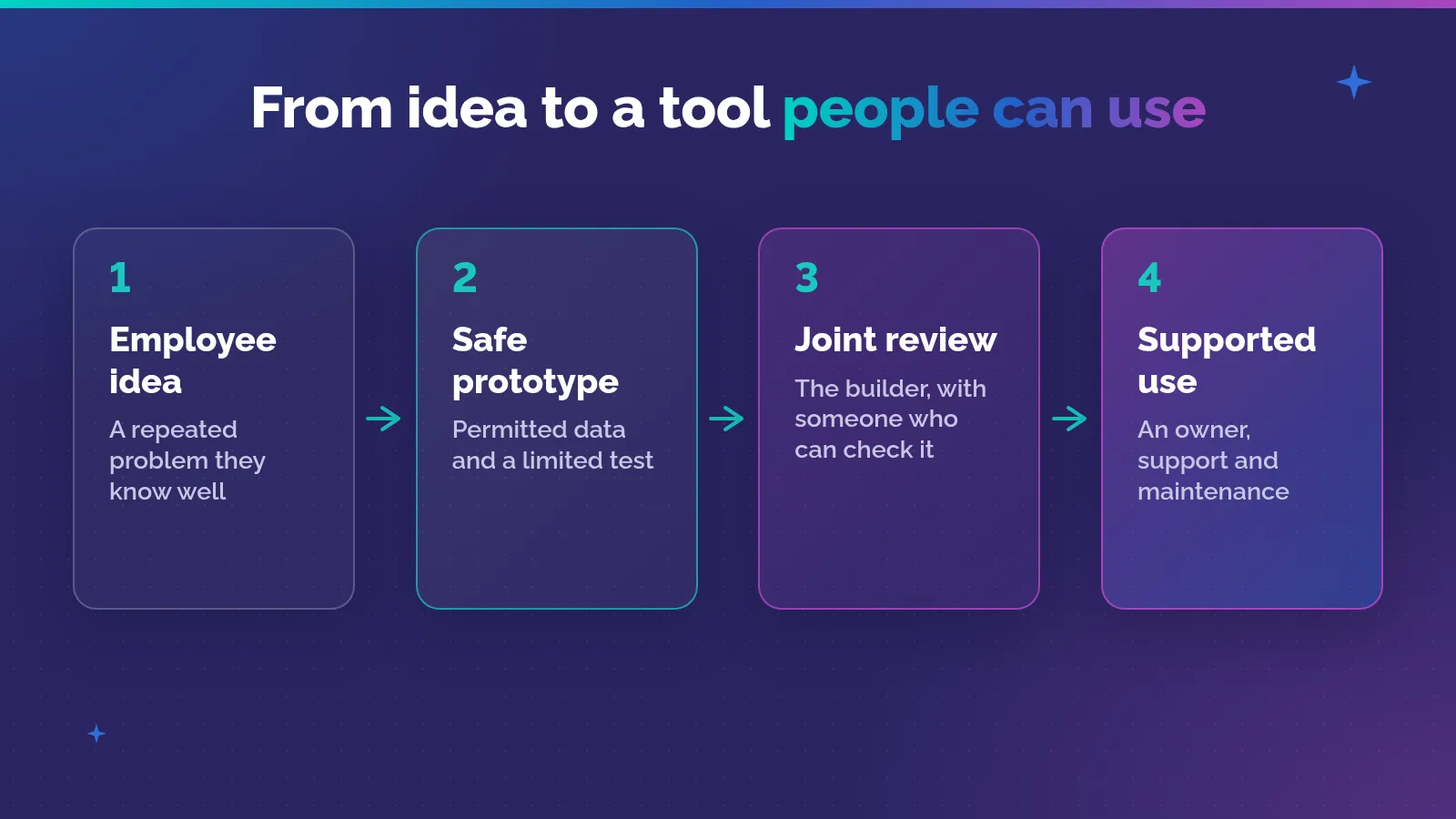
Proposed route for supporting employee-built tools. Informed by Nardi and Miller’s collaboration research and NIST’s secure development guidance. It is not a measured success model.
There is useful technical guidance here. The NIST Secure Software Development Framework, version 1.1, published in 2022, names internal development teams among its audience. NIST says its intention is not to create a checklist to follow, but a basis for a risk-based approach. Here is how a few of its practices translate for a small internal tool.
| NIST practice | What it asks for | What it means for an employee-built tool |
|---|---|---|
| PO.2, Implement roles and responsibilities (p. 6) | Define roles and responsibilities for everyone involved in development | Name who builds, who reviews and who approves use |
| PO.5, Secure environments for software development (p. 8) | Separate and protect each environment | A sandbox with permitted data, apart from live systems |
| PS.1, Protect all forms of code (p. 9) | Store code in a repository with access control | Keep the code in a company location, not a personal account |
| PW.7, Review code (p. 14) | Decide when a person should review the code, and do it | Someone other than the builder reads it before live use |
| PW.8, Test executable code (p. 15) | Scope and design the tests, run them, record the results | Test ordinary cases and known exceptions before colleagues rely on it |
| RV.1, Identify and confirm vulnerabilities on an ongoing basis (p. 16) | Gather reports of possible problems from users and other sources | A clear way to report a problem, and someone who can stop the tool |
For an internal tool, I’d add a few concrete decisions. Keep credentials out of generated code and prompts. Limit access to the data the task needs. Decide how a problem will be reported and who can stop the tool.
Those are practical controls, not a claim that a short list makes an application secure. A tool handling sensitive data or changing important records needs qualified review. Some ideas will need a professional development team before they can go further.
Who looks after the tool once colleagues start using it?
The first user may understand every odd part because they built it. Their colleagues won’t necessarily have that knowledge. A tool that helps its maker can become fragile when other people use it in ways the maker didn’t expect.
Before expanding access, I’d want someone else to run it with an unfamiliar case. Can they tell what it does? Do they know when to question its result? Can the team continue working if it stops?
Ownership also needs to survive the employee changing roles. Keep the code and basic operating notes in an approved company location. Name the person responsible for maintenance, and make sure someone else can take over. Otherwise you end up with the household spreadsheet problem: everyone says “we”, and one person quietly does the work.
This connects with my earlier piece on accountability, responsibility, and authority. The person who built the tool may contribute to its support without holding the authority to approve its use. Make that distinction clear before the tool spreads.
A company can appreciate an employee’s initiative while deciding that the application needs changes. The discussion should help the idea become safe to use, rather than make the employee feel they should have kept it hidden.
What should an AI budget actually pay for?
Around the next part of the YC conversation, Masad argues against equal token allocations and for measuring value created. I agree with questioning the unit of allocation. Equal access for learning and equal spending on ongoing work are different decisions.
An introductory allowance can make sense. People need a fair chance to learn, including those who aren’t already confident with technical tools. Early experiments may teach something useful without producing an application worth keeping.
But continuing expenditure needs a closer connection to the task. A tool used often can still create little benefit. Another might use more AI while removing a difficult piece of work. The consumption alone can’t settle the decision.
Most companies can’t yet see spending at that level. Deloitte’s October 2026 State of AI in the Enterprise report surveyed 3,500 senior leaders in 25 countries. It found that 71% track their total AI inference and API spend, but only 51% track token volume and 44% track the cost per unit. As the report puts it, most companies can see the total bill, and far fewer can see the unit cost underneath it.
Measuring the benefit is even rarer. In McKinsey’s State of AI report, published in March 2025, tracking well-defined KPIs for gen AI solutions had the biggest link to bottom-line impact out of 12 adoption practices tested. Yet less than one in five respondents said their organizations track those KPIs.
So when I look at an internal tool, I look at the full process before and after. If the employee saves effort but moves a larger repair job to someone else, the improvement is misleading. If the output is quick but misses important exceptions, the team hasn’t yet established the benefit.
| What the team claims | What would help establish it | What to include in the review |
|---|---|---|
| Less repetitive work | Compare the same task before and after | Checking and correction effort |
| Better results | Review ordinary cases and known exceptions | Missed problems and false alarms |
| A useful shared tool | Other colleagues can use it properly | Support, access, and maintenance |
| A case for more AI spending | Benefit continues during real use | Model costs and ongoing human work |
These are proposed questions for a spending decision, not findings about a particular company’s return. They make the phrase value created concrete enough to challenge.
How can funding stay flexible without becoming a blank check?
I’d separate permission to experiment from permission to expand. A limited test needs enough time and approved resources to find out whether the idea works. It doesn’t need permanent funding on the strength of an attractive first version.
Once the team can show a useful result, it can ask for more support. That request should include what it costs to run and maintain the tool. It should also name the evidence that would lead the company to stop or change it.
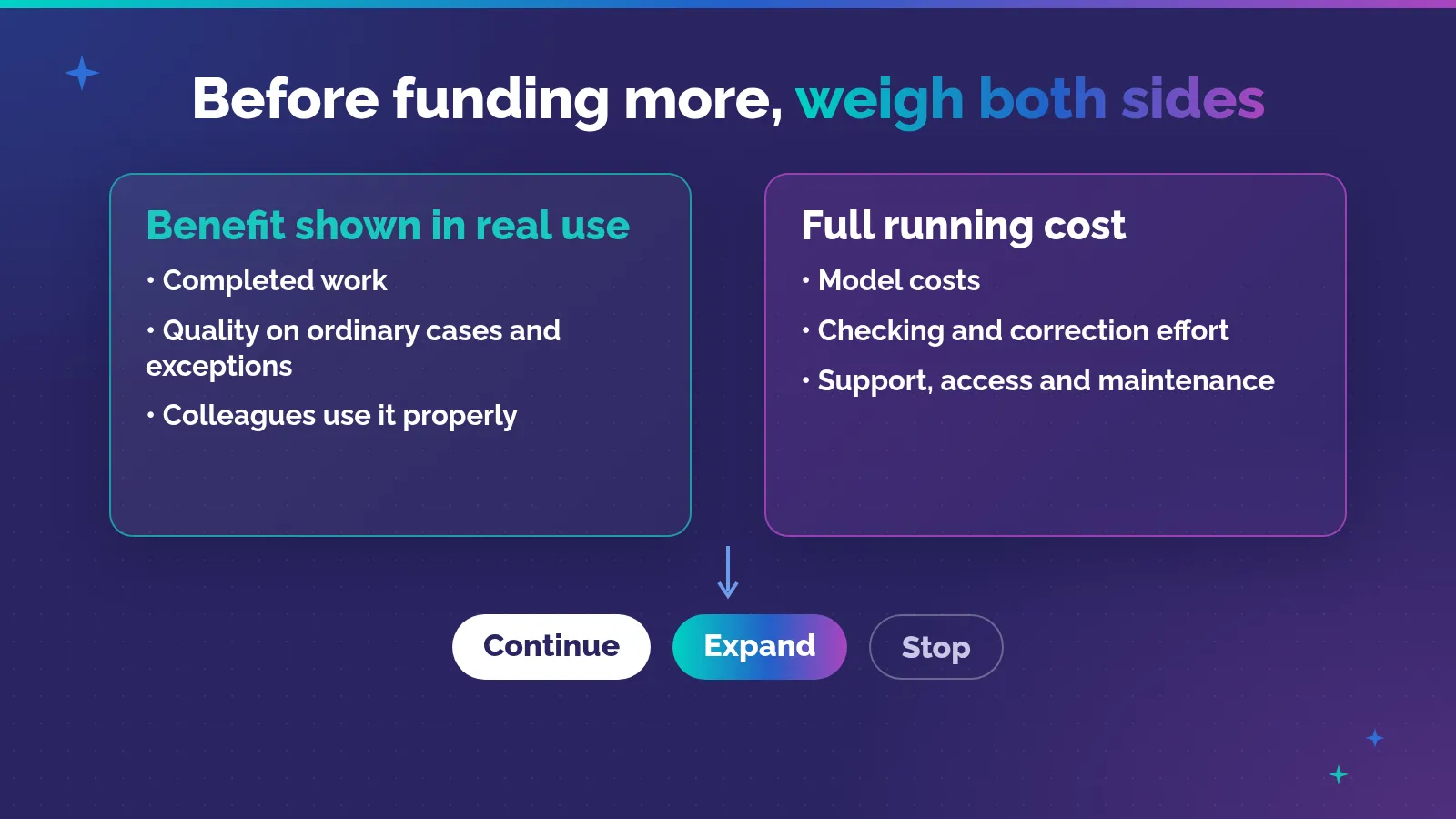
Proposed review of benefit and cost before continuing or expanding funding. No financial values or returns are implied.
Don’t rank employees by token consumption. People doing different jobs will have different opportunities to build, and some useful contributions won’t involve coding. An employee who helps test a colleague’s tool may be contributing as much as its original builder.
The spreadsheet research is helpful on that point. In Laura’s budget, her manager’s adjustments and his extra comparison page were part of what made the model useful. Recognizing only the person who built the first version would miss that.
The same applies to maintenance. If a leader funds new tools but leaves support as invisible extra work, the company hasn’t really funded the improvement. It has moved the cost onto someone else’s day.
In my article on the AI-native organization, the central question is how work changes when AI can produce the first output. In The Redesign Imperative, I said AI does the work and people direct what it produces. Employee-built tools bring that question close to daily operations. The result still needs to fit the work, and people still need clear responsibility for it.
I’d want an employee with a useful idea to know where to start, who can help, and how the company will judge the result. If the tool genuinely improves the work, there should be a route to support it. That seems a more useful response than either blocking the idea immediately or leaving the employee to run it alone.
If you’re setting up a route like this and stuck on who should own what, drop me a message. I’d like to hear where it gets stuck.
Frequently asked questions
What is an employee-built AI tool?
It’s a small application, script or automation that an employee builds with AI help to fix a problem in their own work. It might check a file, prepare a summary or move data between two steps. The employee brings knowledge of the task. The company still needs to decide what data the tool can use, who reviews it, and who looks after it once colleagues rely on it.
Should every employee get the same AI budget?
For learning, an equal starting allowance is fair, because everyone needs a chance to try the tools. For ongoing work, spending should follow what a tool improves. Masad argues against equal token allocations for that reason. That needs measurement: Deloitte found only 44% of companies track AI cost per unit, and McKinsey found less than one in five track KPIs for gen AI solutions.
Who should own a tool an employee built?
Name one person responsible for maintaining it, and make sure someone else can take over. That might be the builder, but it doesn’t have to be. Keep the code and operating notes in a company location, not a personal account. The builder can support the tool without holding the authority to approve its wider use. Agree on that before the tool spreads.
How do you keep employee-built tools secure?
Give builders a separate space with permitted data, keep credentials out of code and prompts, and limit access to what the task needs. Have someone other than the builder review the code and test ordinary cases and known exceptions before live use. The NIST Secure Software Development Framework covers these practices and applies to internal teams. Sensitive tools need qualified review.
How do you measure whether an internal AI tool is worth funding?
Compare the whole task before and after, including the checking and correction the tool creates. Look at missed problems and false alarms, whether colleagues can use it properly, and the full running cost, including model costs and support. Then decide whether to continue, expand or stop. A tool that is used often but adds little benefit shouldn’t get more budget just for being popular.
References
- Y Combinator, Paul Graham in conversation with Amjad Masad, video on X (approximately 23:42 to 24:50: employees building internal tools in traditional companies and getting promoted for their impact; 26:39 to 27:23: against equal allowances, for return on investment and seeing where useful results happen). Company and employee examples are Masad’s account, not independently verified.
- Bonnie A. Nardi and James R. Miller, Twinkling Lights and Nested Loops: Distributed Problem Solving and Spreadsheet Development, International Journal of Man-Machine Studies 34, 1991, pp. 161 to 184 (web reproduction on the coauthor’s site, no page breaks: abstract, nearly all spreadsheets in the work settings studied were collaborative; method, about 270 pages of interviews with six users and three specialists, referrals, names changed; non-programmers, local developers and programmers; Ray’s custom menus; Laura’s budget estimates; Betty and Buzz).
- NIST, Secure Software Development Framework (SSDF) Version 1.1, SP 800-218 (PDF), February 2022 (p. iii: audience includes internal development teams; p. 3: not a checklist, a basis for a risk-based approach; p. 6: PO.2; p. 8: PO.5; p. 9: PS.1; p. 14: PW.7; p. 15: PW.8; p. 16: RV.1). Publication page.
- KPMG and the University of Melbourne, Trust, attitudes and use of artificial intelligence: A global study 2025 (PDF), April 2025 (printed page numbers; add 2 for the PDF page. p. 13: 48,340 people in 47 countries including Saudi Arabia, November 2024 to mid January 2025; p. 15: employees n = 32,352; p. 71: of employees using AI at work, 70% use free public AI tools and 42% use employer tools, two in five report a policy or guidance; p. 75: 48% uploaded sensitive company information into public AI tools, 56% used AI tools without knowing if allowed).
- Deloitte, The State of AI in the Enterprise: Built differently (PDF), October 2026 (p. 9: 3,500 senior leaders in 25 countries, surveyed May to June 2026; p. 13: 71% track total AI inference and API spend, 51% token volume, 44% per unit inference cost).
- McKinsey & Company, QuantumBlack, The state of AI: How organizations are rewiring to capture value (PDF), March 2025, survey fielded July 2024 (printed p. 8: tracking well-defined KPIs for gen AI solutions has the most impact on the bottom line of 12 practices; printed p. 9: less than one in five track KPIs for gen AI solutions).